CI/CD for My Own Projects: Ain't nobody got time for manual deployment, amirite?
Introducing
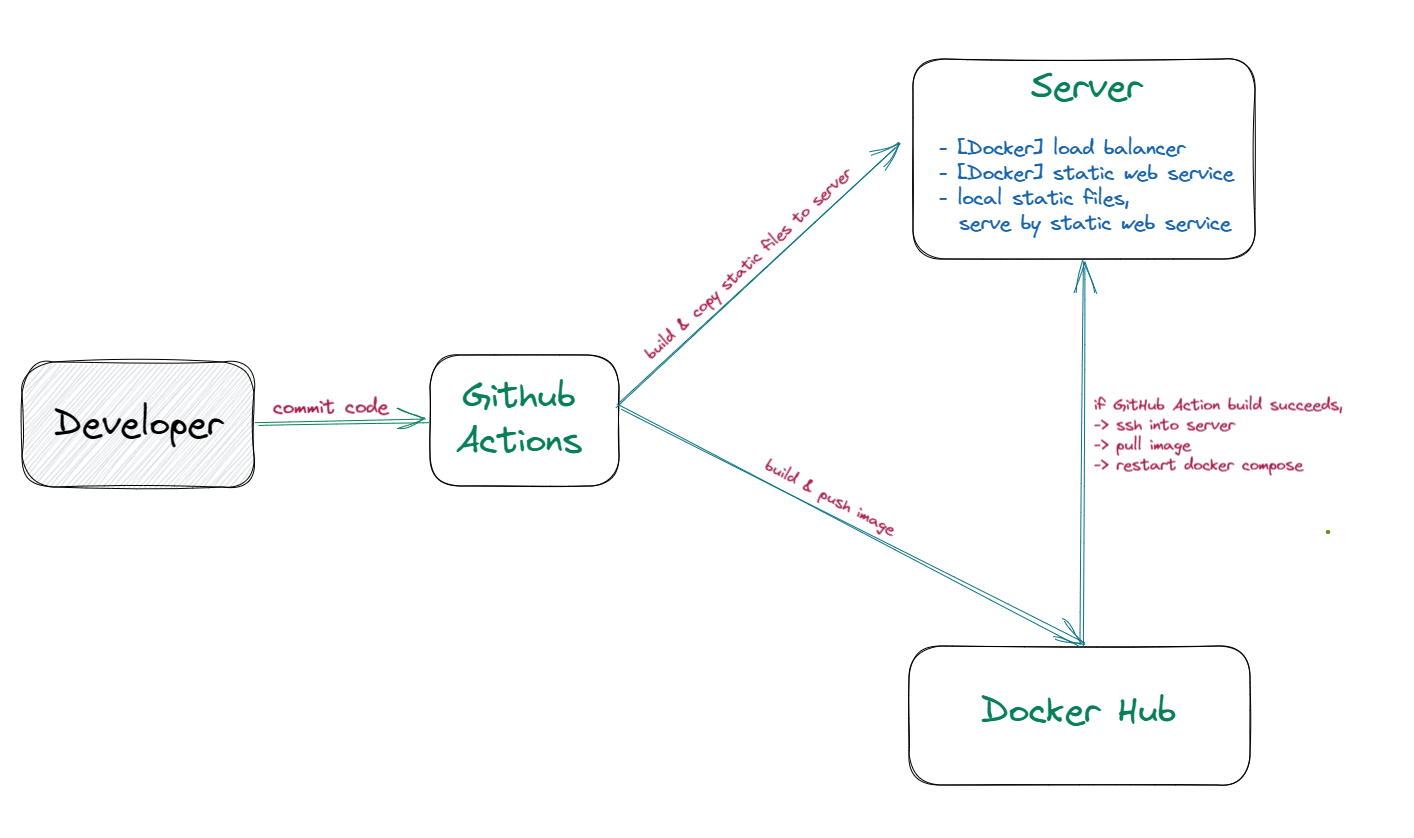
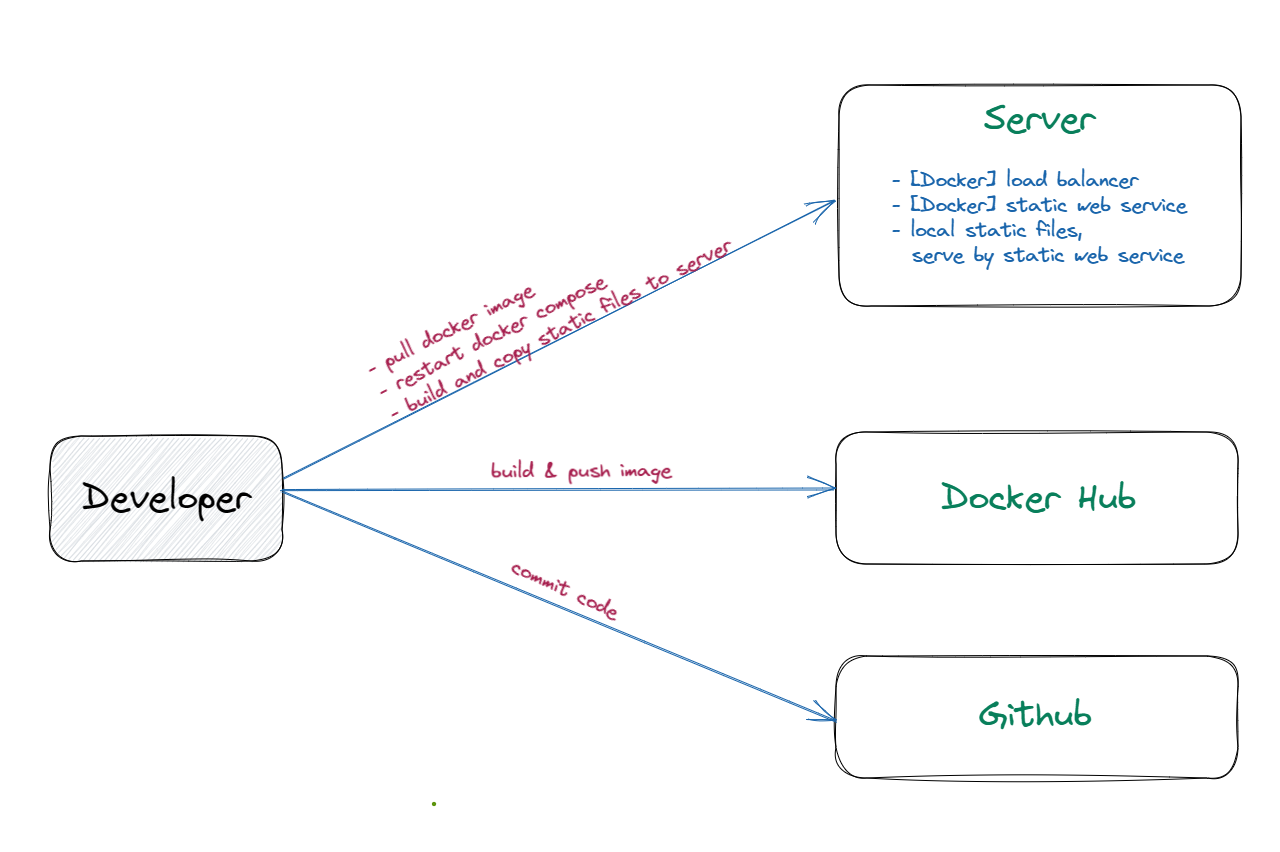
As a dev, I usually don’t like to deploy my own projects ‘cause the whole process takes a lot of time and there’s always the risk of messing things up. But ever since I switched to GitHub Actions CI/CD, I’ve been able to save time, cut down on errors, and concentrate on the real deal - developing my projects. Automating the build, test, and deployment of my projects makes everything easier and faster, so I can get my work out there as soon as possible and worry less about the deployment process.
GitHub Actions
💡 This CI/CD process is simple and easy to implement. Remember to create a repository secret for the remote server information and Docker login information.
Build blog and copy files to server
The pipeline includes steps for checking out the repository, building and uploading the site, and copying the files to a remote server using SCP.
name: Blog CI
on:
  push:
    branches: [ main ]
jobs:
  build:
    runs-on: ubuntu-latest
    steps:
      - name: Checkout your repository using git
        uses: actions/checkout@v2
      - name: Install, build, and upload your site
        uses: withastro/action@v0
      - name: scp-pipeline
        uses: cross-the-world/scp-pipeline@v1.2.1
        with:
          host: ${{ secrets.REMOTE_HOST }}
          user: ${{ secrets.REMOTE_USER }}
          pass: ${{ secrets.REMOTE_PASSWORD }}
          local: /home/runner/work/${{ github.event.repository.name }}/${{ github.event.repository.name }}/dist/*
          remote: /home/web/static-site/${{ secrets.DOMAIN }}
Build Docker Images
This action builds and pushes a Docker image to DockerHub whenever changes are pushed to the main branch. However, it includes a TODO for SSHing to a server and reloading Docker Compose.
name: Deploy Static Site

on:
  push:
    branches: [ "main" ]
  pull_request:
    branches: [ "main" ]
jobs:

  build:

    runs-on: ubuntu-latest

    steps:
    - uses: actions/checkout@v3
    - name: Login to DockerHub
      uses: docker/login-action@v2
      with:
        username: ${{ secrets.DOCKERHUB_USERNAME }}
        password: ${{ secrets.DOCKERHUB_TOKEN }}
    - name: Build and push Docker Static Site
      uses: docker/build-push-action@v4.0.0
      with:
       file: ./Dockerfile.static-site
       tags: |
            dotknyl/gateway-static-site:prod
       push: ${{ github.ref == 'refs/heads/main' }}
    - name: Connect to VPS via SSH and restart Docker Compose
      uses: appleboy/ssh-action@master
      with:
        host: ${{ secrets.SSH_HOST }}
        username: ${{ secrets.SSH_USERNAME }}
        password: ${{ secrets.SSH_PASSWORD }}
        script: |
          cd /root
          docker compose up -d
Now it’s easier.
In Summary
So, like, if you’re a developer, CI/CD is totally the way to go. It makes everything easier to work on with others, plus it saves time and reduces errors. With the right stuff set up, you’ll always be up to date and running smoothly. And, if you’re into learning new stuff, CI/CD can help you grow and improve your skills.